Your Wi-Fi radio works again.
RadioPilot controls internet, DAB+ and FM radios built on a Frontier Silicon module from your iPhone, iPad and Mac. Made for everyone whose radio app stopped working, for older radios and current ones alike.

Free to download. Unlock all features once, no subscription.
Try the app right here.
Presets
One tap plays the station. Tap an empty slot and the station that's playing is stored there. The first four presets are free, all others come with all features.
Multiroom
Up to five radios play together. Set the volume for the whole group or for each radio. Add the bedroom or dissolve the group.
Sound
Equalizer, bass, treble and loudness, the way your radio offers them. Bass and treble apply when the equalizer is set to “My EQ”.
Alarms and sleep timer
Set the time, days and volume of an alarm, or start the sleep timer. When the alarm rings, snooze it or turn it off in the app.
FM
Pick a frequency on the dial or seek to the next station. Stations with RDS show their name.
DAB+
A station scan refills the station list. Then pick a station from the list or store it as a preset.
Podcasts
Browse podcasts and keep the ones you like with the star. One tap plays the newest episode, and you can skip 15 seconds back or 30 ahead.
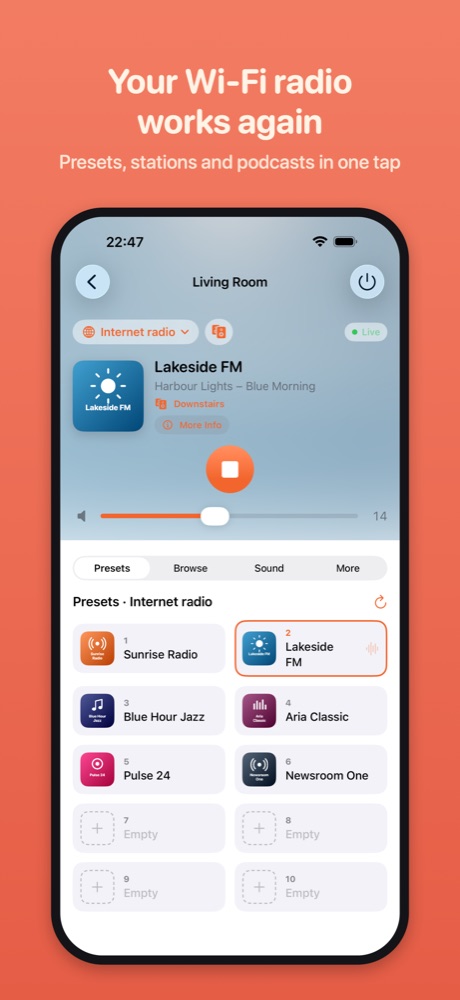
Demo with made-up stations. Nothing leaves your browser.
Does my radio work with it?
RadioPilot controls Wi-Fi radios built on a Frontier Silicon module: older ones that worked with the UNDOK app and newer ones that work with the OKTIV app. The list of brands and models shows which ones are documented.
What happened to UNDOK
- December 2023
The last version of UNDOK comes out.
- iOS 27
UNDOK crashes right after it starts.
- October 2026
Frontier Smart Technologies announces the end of support for UNDOK. According to Frontier, the new OKTIV app only works with radios from the Venice X module, version 4.2.4.
- Now
RadioPilot controls these radios again, older ones included.
The radio itself keeps working with its buttons and remote. What was missing is control from your phone and Mac. More on switching from UNDOK, with sources
What RadioPilot does
Not every radio can do everything. The app hides what yours doesn't support.
- Control
- Power, volume, mute, switch sources
- Play/pause, next, previous, shuffle, repeat, seek
- Live station, track and artwork, plus more about the station and artist
- Stations and presets
- Play presets, save the station that's playing, rearrange presets
- Back up presets and copy them to another radio
- Browse internet radio, podcasts and music, with search from any level
- DAB+ station list with scan, FM with a frequency dial
- Logos for DAB+ and FM stations too, where the broadcaster offers them through RadioDNS
- Setup
- Put a new radio on Wi-Fi, or move a radio to another network
- Fixed IP address, saved networks and WPS
- Radio language, clock, firmware updates, PIN and factory reset
- Multiroom
- Group up to five radios, rename and ungroup them
- Set the volume for the whole group or for each radio
- Stereo pairs of two speakers, where they support it
- Sound and time
- Equalizer, bass, treble, loudness and streaming quality
- Sleep timer and alarms with snooze
- Siri and Shortcuts
- Turn the radio on or off, change the volume, play a preset
- Old and new radios
- Older radios that worked with UNDOK and newer ones with OKTIV (Venice X module), tested with firmware up to version 4.5.10
- Copes with old firmware: slow replies, missing features and garbled characters
- Hides what a radio can't do, on older radios with the Venice 6.5 module for example moving and restoring presets and setting alarms
- If a radio gets a new IP address, say after a power cut, the app finds it again by itself
- Help
- The diagnostic report shows what your radio supports and where it struggles. Send it to me and I'll take a look.
On iPad and Mac too
On iPad and Mac, all your radios sit in a sidebar. Next to it you see the station that's playing, with presets, sound and settings. On the Mac, RadioPilot is a real Mac app.
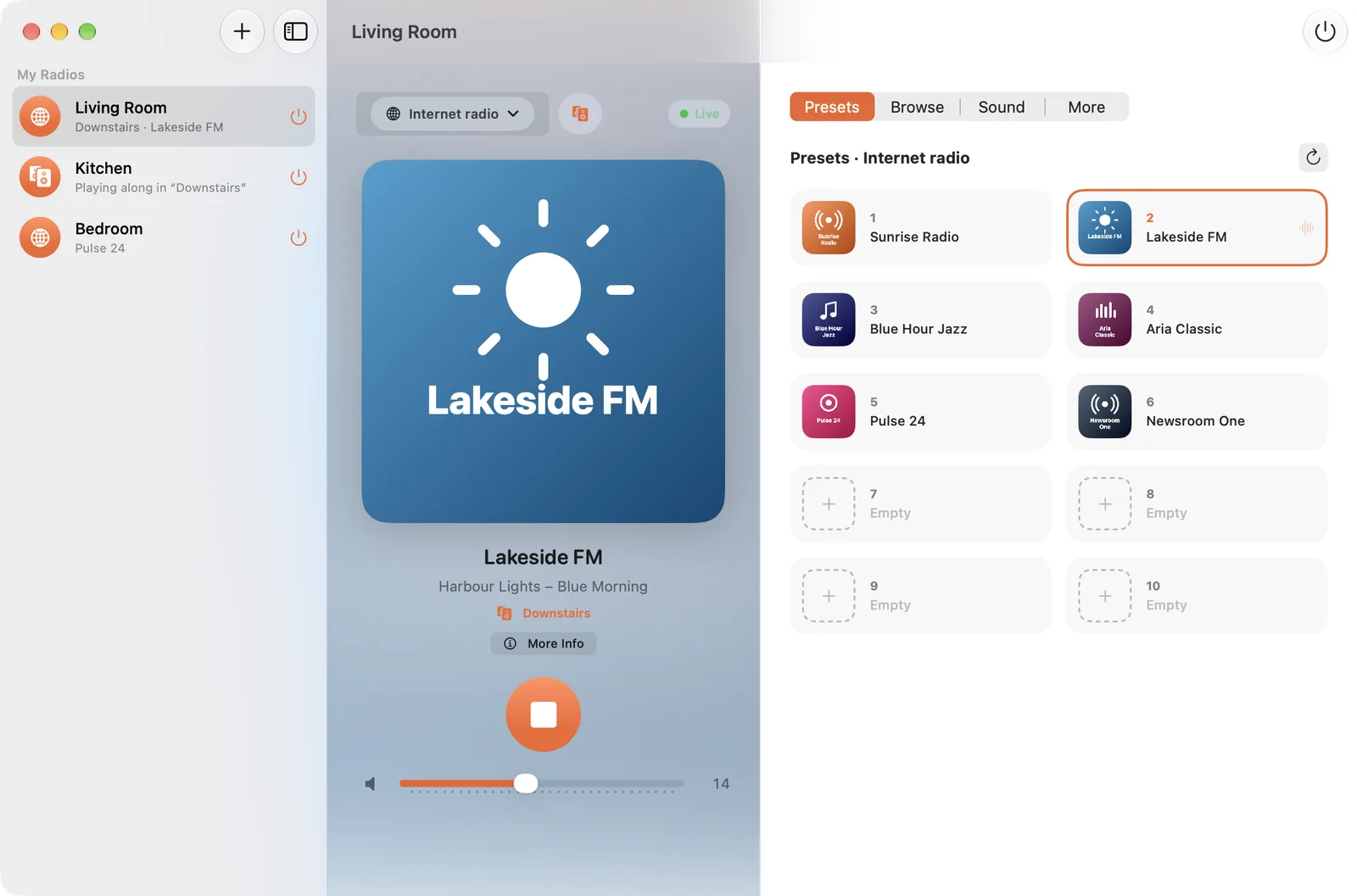
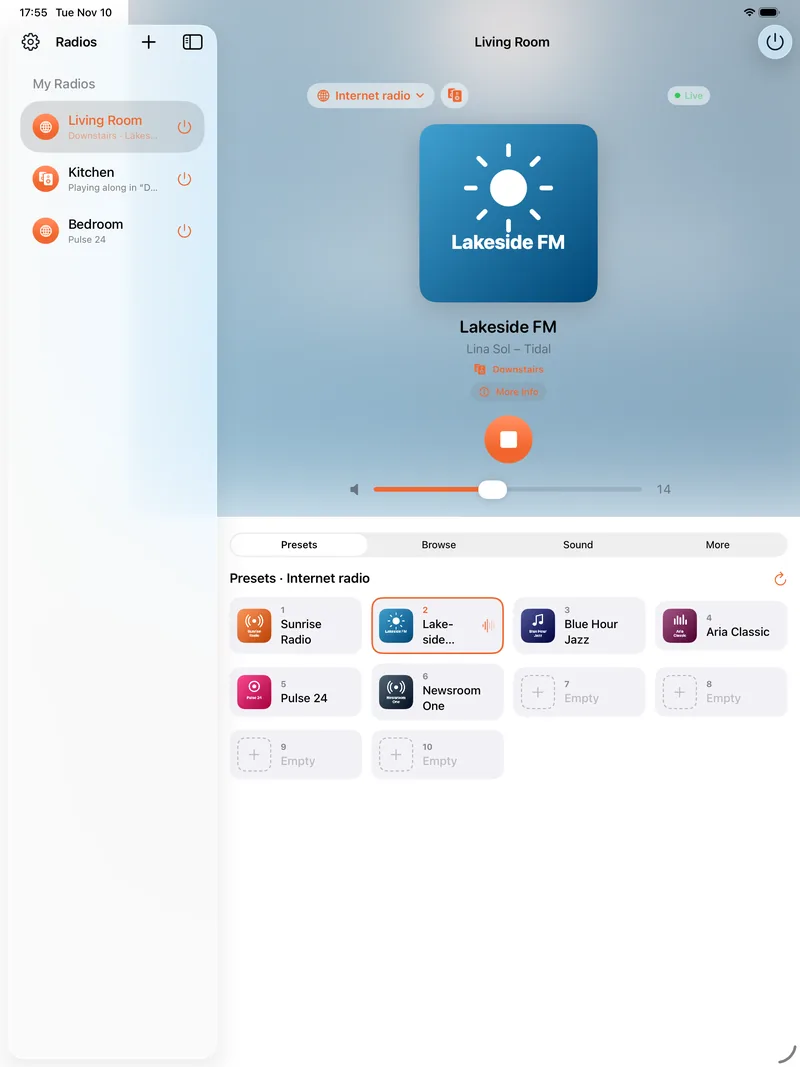
Screenshots of the app with the demo stations. Click to see a picture in full size.
In the menu bar
On the Mac, RadioPilot also lives in the menu bar: volume, presets and power without opening a window.
- Louder
- Quieter
- Play a preset
- Power
On this page: click the menu bar, then ↑, ↓, 1 to 9 and P are enough. What you change here also shows on the iPhone above.
Private
No account, no cloud, no ads, no tracking.
RadioPilot controls your radios directly on your own network. From the internet it only fetches station logos and cover art. The details are in the privacy policy.
Price
Free
- Find and add radios and put them on Wi-Fi
- Power, volume, source and playback
- Browse and play stations and podcasts
- The first four presets
- Diagnostic report
All features
- Play every preset and store stations
- Sound, alarms and sleep timer
- Multiroom groups
- Change every setting of the radio
Unlock all features once, no subscription. One purchase covers iPhone, iPad and Mac and can be shared with your family.
13 languages
RadioPilot speaks the languages the radios offer in their own menus.
- Deutsch
- English
- Français
- Italiano
- Español
- Nederlands
- Dansk
- Norsk
- Svenska
- Suomi
- Polski
- Português
- Türkçe
Questions
Do I need an account?
No. RadioPilot has no accounts and no server of its own.
Does it work when I'm away from home?
No. The app talks to the radio directly and needs to be on the same network as the radio.
Can I try whether it works with my radio?
Yes. The basics are free with no time limit. If the app finds your radio, it works.
Does it work with radios that use OKTIV?
Yes. Newer radios with the Venice X module that work with OKTIV have the same interface as the older ones. RadioPilot is tested with firmware up to version 4.5.10; other projects report the interface working on 4.6 and 4.10 too.
Does the purchase cover all my devices?
Yes, iPhone, iPad and Mac with the same Apple Account, and your family through Family Sharing.
The app doesn't find my radio. What now?
Usually the phone is on a different Wi-Fi network than the radio, or local network access isn't allowed. The steps are in the help.
Try it with your radio.
The basics are free. You'll see whether your radio works the first time you open the app.
RadioPilot is an independent project and isn't affiliated with Frontier Smart Technologies or any radio manufacturer. All trademarks belong to their owners.