The alternative to UNDOK for iPhone, iPad and Mac
Since iOS 27, UNDOK crashes as soon as it opens, and its maker has announced the end of the app. RadioPilot keeps controlling the same Wi-Fi radios: older ones that the maker's new OKTIV app doesn't support and newer ones that work with OKTIV too.

What happened to UNDOK?
- Frontier Smart Technologies, which makes the radio modules and the UNDOK app, announced in October 2026 that it is ending support for UNDOK.1
- The last version of UNDOK came out in December 2023.2 Since iOS 27, the app crashes right after it opens.1
- According to Frontier, the newer OKTIV app only works with radios built on the Venice X module, version 4.2.4 or later.3 That leaves many older radios without an app.
The radio itself still works: internet radio, DAB+ and FM play from the buttons on the radio or its remote. What's missing is control from your iPhone, iPad or Mac, and that's what RadioPilot brings back.
Will my radio work with RadioPilot?
Very likely, if it worked with UNDOK. RadioPilot talks to the radio through the same interface UNDOK used, the one built into Frontier Silicon modules; newer radios that work with OKTIV have it too. Such modules are inside radios from Roberts, Revo, Ruark, Pure, Sangean, Hama, Teufel and Technisat, for example, though not in every model of these brands. The documented models are in the list of brands and models. RadioPilot copes with older radios and their firmware and is tested with firmware up to version 4.5.10.
The basics are free, so you can check at no risk whether your radio works.
What RadioPilot does
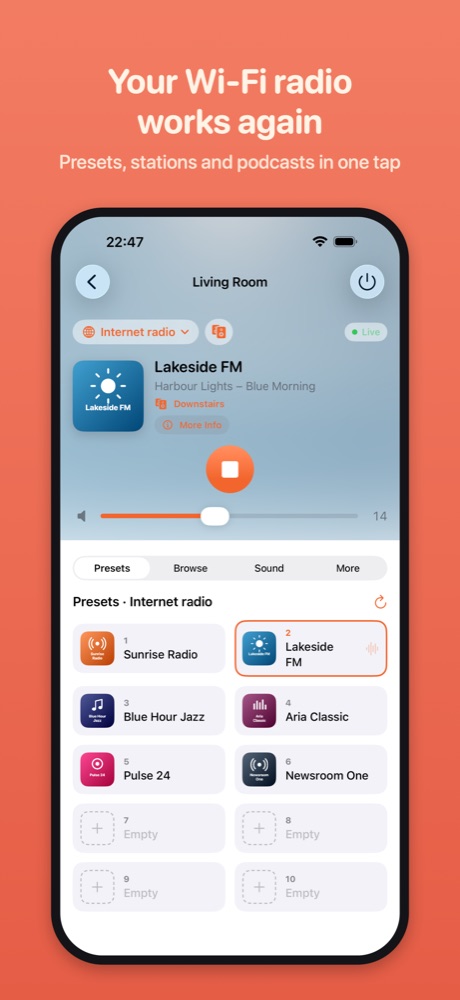
- Power, volume, source and playback, with the station, track and artwork
- Play, save and rearrange presets, back them up and copy them to another radio
- Browse internet radio and podcasts, the DAB+ station list and FM
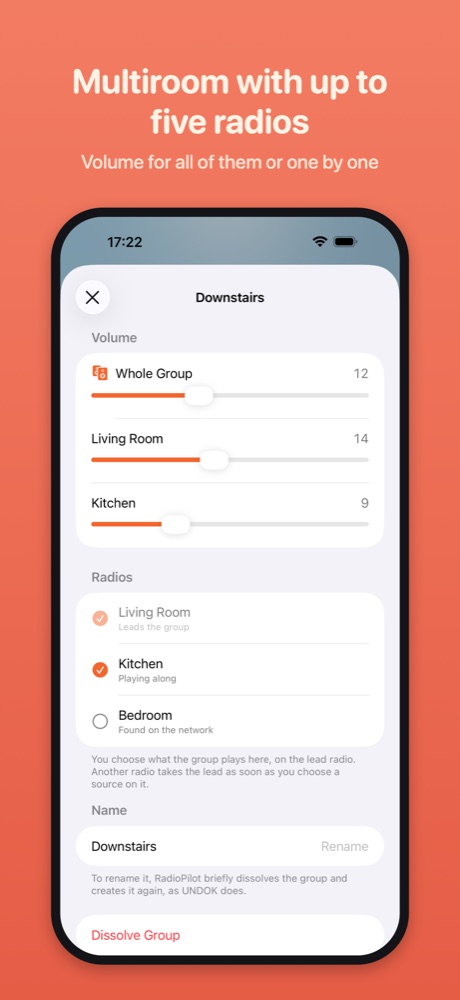
- Multiroom groups with a volume for the group and for each radio
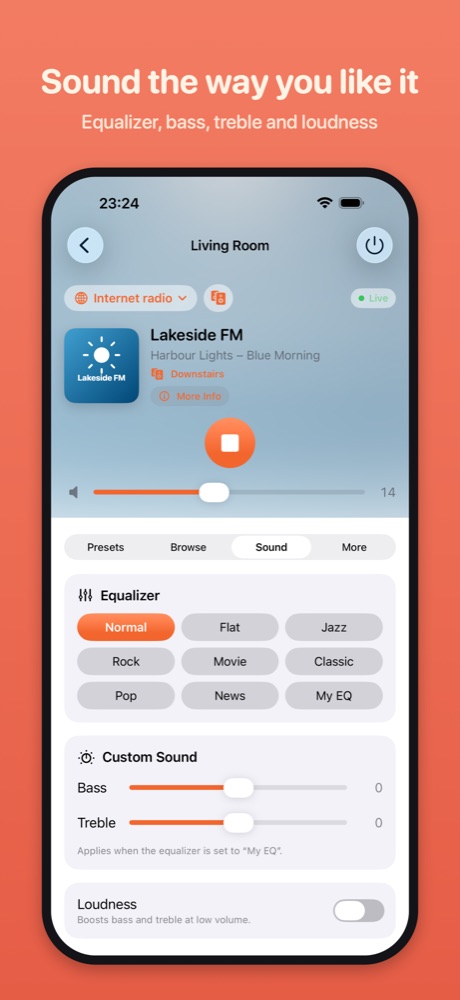
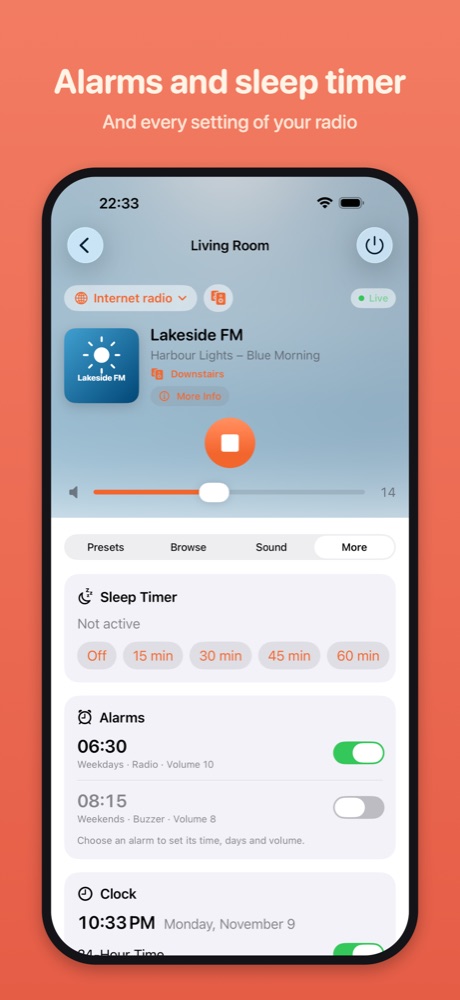
- Equaliser, alarms, sleep timer, clock and the radio's language
- Put a new radio on Wi-Fi and install firmware updates
- A Mac app with controls in the menu bar, plus Siri and Shortcuts
Switching in three steps
- Download RadioPilot from the App Store on your iPhone, iPad or Mac.
- Make sure the device is on the same Wi-Fi network as the radio.
- Open RadioPilot and add the radio. If the app asks for a PIN: on many radios it's 1234 out of the box; otherwise you'll find it in the radio's network settings, often under "NetRemote PIN".
Your presets are stored in the radio, so RadioPilot shows them just as you set them up in UNDOK.
Questions and answers
Do I have to reset my radio?
No. RadioPilot connects to the radio as it is, presets and settings included.
Do I need an account?
No. No account, no cloud, no ads. RadioPilot controls your radios directly on your own network. From the internet it only fetches station logos and cover art.
Does RadioPilot run on a Mac?
Yes, as a Mac app of its own for macOS 14 or later, with controls in the menu bar and keyboard shortcuts. On iPhone and iPad it needs iOS 17 or later.
What does RadioPilot cost?
The basics are free, so you can see that your radio works. Unlock everything else once, no subscription.
What about the maker's OKTIV app?
OKTIV is meant for newer radios built on Venice X, version 4.2.4 or later. RadioPilot controls these as well as older radios that OKTIV doesn't support, so you can use old and new radios in one app, on the Mac too.
RadioPilot can't find my radio. What now?
The help page covers the most common causes. The diagnostic report in the app shows where it gets stuck.
Is RadioPilot made by Frontier or a radio maker?
No. RadioPilot is an independent project.
Sources: 1 GIGA, 18 October 2026 (German), based on a report by teltarif · 2 UNDOK on the App Store, version 3.3.36 of 13 December 2023 · 3 Frontier Smart Technologies: OKTIV
UNDOK and OKTIV are apps by Frontier Smart Technologies Ltd. RadioPilot is an independent project and isn't affiliated with Frontier Smart Technologies or any radio manufacturer. All trademarks belong to their owners.